
Cursor Reg 1.0 Release Announcement

Background
As Cursor AI editor becomes increasingly popular, more developers are adopting this powerful AI-assisted programming tool. However, Cursor’s trial limitations prevent many users from experiencing its benefits continuously. To address this issue, various registration/renewal tools have emerged in the community.
Comparison of Existing Tools
1. Cursor Free VIP
- Function: Reset machine ID to bypass trial limitations
- Pros: Comprehensive features, multi-system support
- Cons: Requires admin privileges, complex installation, may trigger security warnings
- Latest Version: 0.49.x
2. Cursor Reset Tool
- Function: Clear local configuration for re-registration
- Pros: Simple operation, lightweight
- Cons: No batch processing, poor stability
- Latest Version: 2.1
3. Cursor Token Manager
- Function: Manage and update tokens
- Pros: Support token import/export
- Cons: Requires manual configuration, tokens expire easily
- Latest Version: 1.5
Limitations of Existing Tools
Current tools commonly face these issues:
1. Security Concerns
- Require administrator privileges, may modify system critical files
- Use unauthorized OAuth access or generate fake emails
- Closed source code, non-transparent operation
- Potential malicious code or backdoors
2. Complex Usage
- Require manual configuration file modifications
- Depend on specific system environments or components
- Complicated operation steps, prone to errors
- Lack clear usage instructions and error messages
3. Poor Stability
- Frequent registration failures
- Tokens expire easily requiring repeated operations
- High system resource consumption
- Fail after version updates
4. Limited Functionality
- Single operating system support only
- No batch processing capability
- Lack of failure retry mechanism
- No automatic updates
Cursor Reg Features
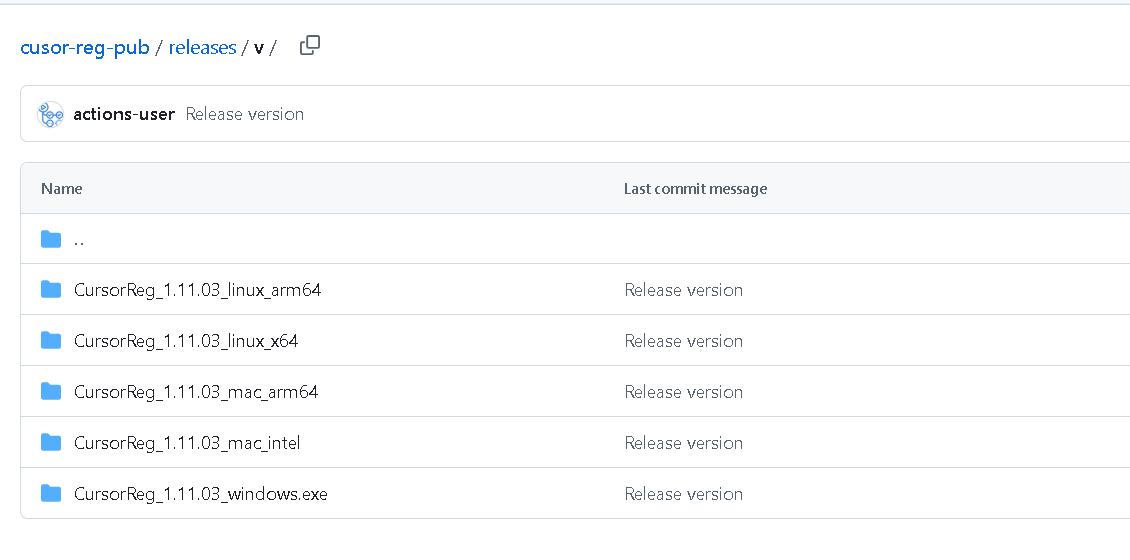
1. Download and Installation

- Cross-Platform Support:
- Windows Systems
- Linux Systems (Major distributions supported)
- macOS Systems (Intel and M-series chips supported)
- One-click installation, no complex configuration needed
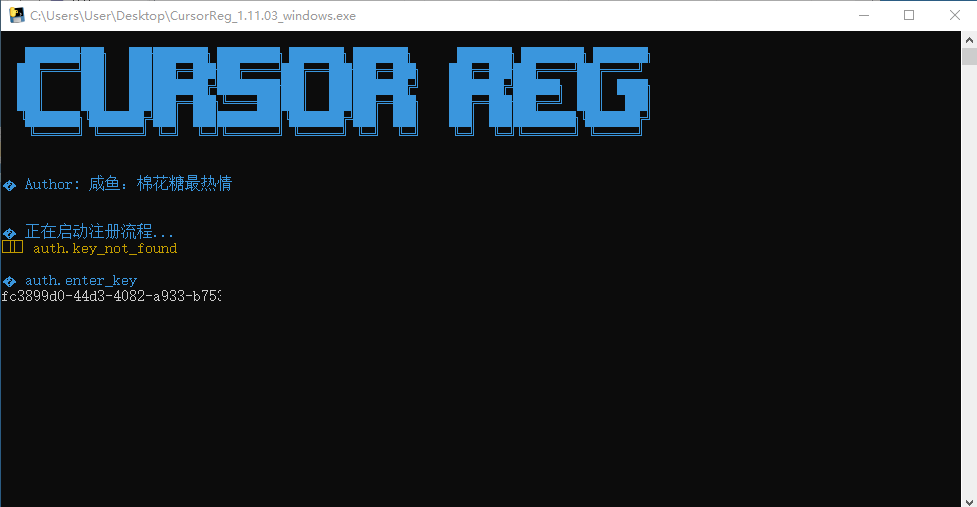
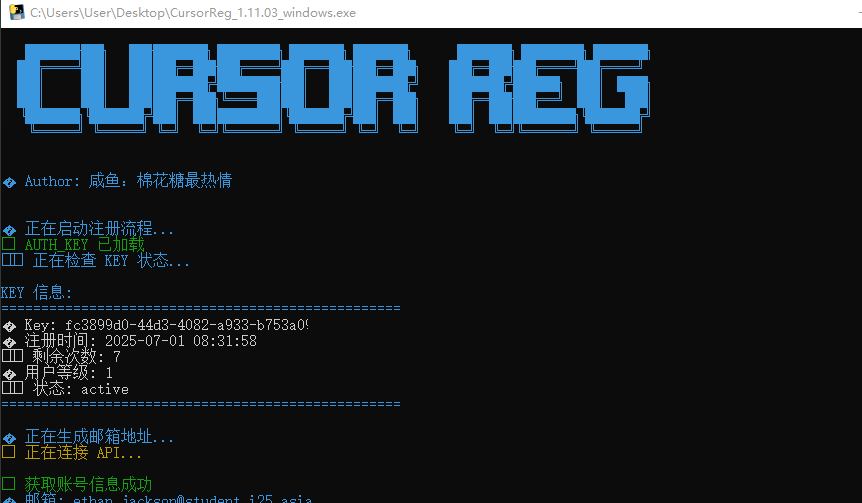
2. Usage Process

- Run the program and wait for interface loading
- Enter registration code (auto-fill supported)
- Program automatically completes registration
- Configuration updates automatically upon completion
3. Core Features
- Intelligent hardware signature management
- Automatic token update maintenance
- Batch processing support
- Built-in failure retry mechanism
Tool Advantages
Compared to other tools, Cursor Reg offers these advantages:
1. Enhanced Security
- No system critical file modifications, only legal configuration updates
- No administrator privileges required
- No fake email accounts or unauthorized OAuth access
- Fully open-source code, transparent process
2. Simplified Usage
- One-click operation, no complex configuration
- Clear interface prompts, lower usage barrier
- Multi-operating system support, good compatibility
- No manual configuration file handling
3. Better Stability
- Automatic hardware signature handling, avoiding repeated registration issues
- Smart token refresh, ensuring long-term stable usage
- Lightweight program operation, minimal system resource usage
- Support for latest Cursor versions (tested up to version 1.2)
4. Complete Functionality
- Automatic hardware signature updates
- Automatic token refresh
- Batch processing support
- Built-in failure retry mechanism
Usage Guide
1. System Requirements
- Windows 7 and above
- macOS 10.15 and above
- Linux kernel 4.19 and above
- Minimum 1GB available memory
- Active network connection
2. Registration Code Details
Each registration code limitations:
- Registered users: ~10
- Chat interactions: 500/user
- Usage duration: Unlimited
- Device count: Unlimited
3. Common Issues
- Registration failure: Check network connection and code validity
- Program not responding: Check system resource usage
- Token expiration: Use refresh function
- Version incompatibility: Update to latest version
Future Plans
New Feature Development
- Support more registration methods
- Add graphical interface
- Include usage statistics
- Provide API interface
Performance Optimization
- Improve registration success rate
- Optimize resource usage
- Speed up processing
User Experience
- Add automatic updates
- Enhance error messages
- Optimize operation flow
Disclaimer
- This tool is for learning and research purposes only
- Not for commercial use
- Users bear all consequences of using this tool
- We recommend supporting official software
Note: Screenshots in this article are for reference only. Actual interfaces may vary with version updates. The tool will be continuously updated to support the latest versions of Cursor.